A link at every due date
At each due date, ChariPay generates a single-use payment link and e-mails it to your customer, with the subscription's amount and description.
A subscription is a payment link e-mailed at every due date, reminders until it is paid and a clear view of each period: recurring billing, done properly.
At each due date, ChariPay generates a single-use payment link and e-mails it to your customer, with the subscription's amount and description.
Your customer pays the instalment on the hosted payment page, by card with 3-D Secure: no card data ever passes through your systems.
While the instalment stays unpaid, a reminder goes out every day by e-mail, with the same link. The link stays payable for 14 days after the due date.
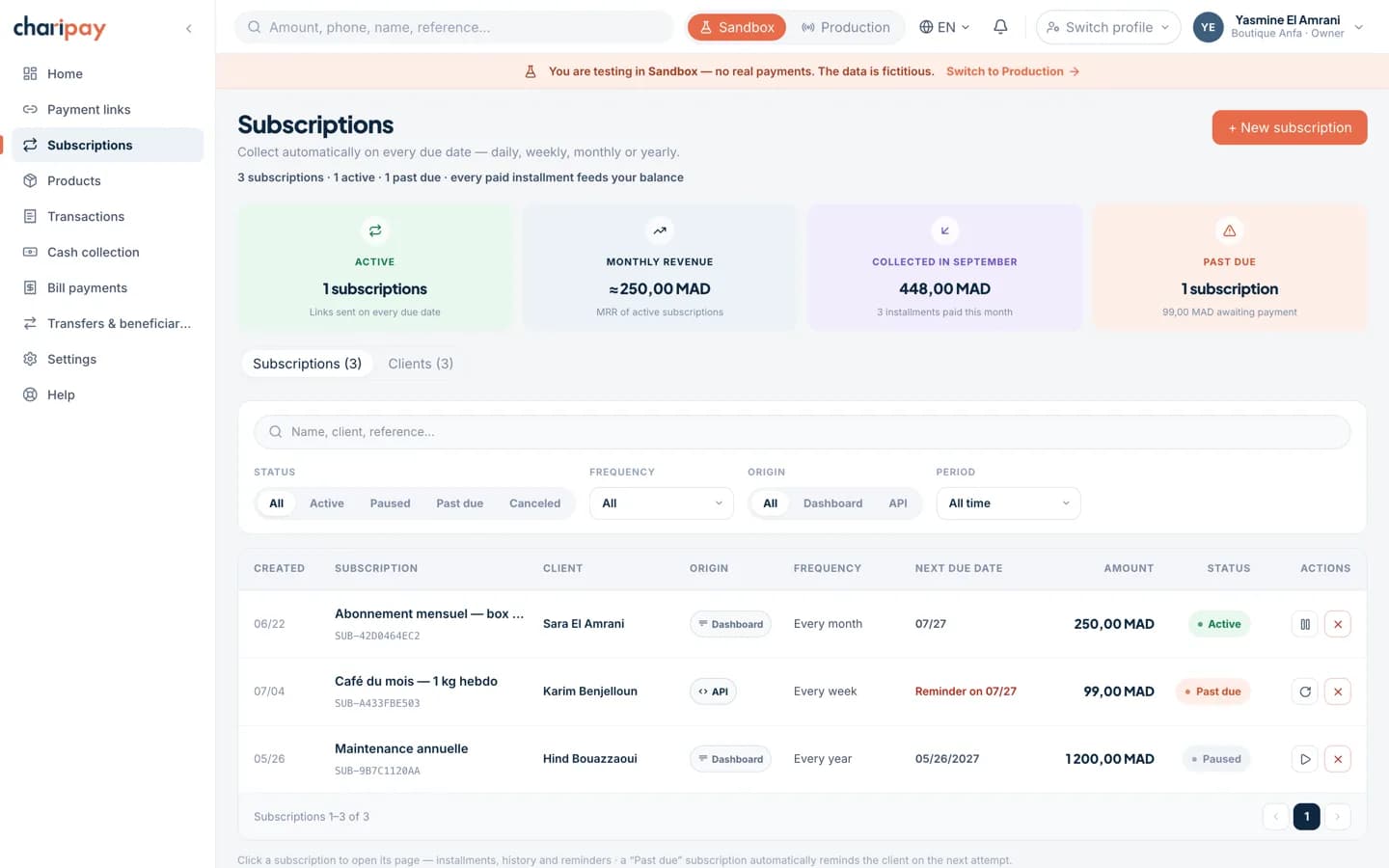
To start, active, paused, completed, cancelled: every subscription has a clear status, visible in the portal and through the API.
Daily, weekly, monthly or yearly; any start date, optional end date. Due dates are computed in the Africa/Casablanca timezone, the same one your business runs on.
Create and manage your subscriptions from the portal or through the API, under the same rules.
Each subscription carries its cadence, its next due date and the state of every instalment sent. Pause, resume or cancel straight from its page.
Real screenshot of the portal. Amounts, names and references are fictional — the screen is the one you will get.
As long as an instalment remains unpaid, no new period is opened: your customer builds up no silent debt, and your books stay accurate. Once the payment window has passed, the subscription is cancelled and you are notified by webhook.
A customer with an e-mail address, an amount, a frequency, a start date — from the portal or the API.
At each due date, an e-mail with the payment link; they pay by card, with 3-D Secure. The first payment activates the subscription.
Automatic reminders while an instalment is unpaid, webhooks on every payment, pause, resume or cancel from the subscription's page.
Create the plan once; sending the instalments, the reminders and the history follow on their own.
Gyms & clubs
Every member receives their payment link when their plan falls due and pays in seconds. No more binder of guarantee cheques and front-desk reminders: the portal shows who's paid up, who has an instalment pending, and follows up cleanly.
Schools & training centres
A plan per grade or per package, one payment per family per month. Administration sees payment status in real time, and each family's full history fits on a single page — useful when certificates are requested.
Software & online services
Monthly or annual plans, deferred starts, optional end dates: the subscriptions API manages the full lifecycle, and webhooks keep your customer base current — activation on the first payment, cut-off on an unpaid instalment.
Your customer receives a reminder by e-mail every day, with the same payment link, and no new period opens while the instalment remains unpaid. The link stays payable for 14 days after the due date; beyond that, the subscription is cancelled automatically and the subscription.canceled webhook notifies your server. In the meantime you keep control: pause or cancel the subscription from the portal or the API.
They receive an e-mail with the period's payment link, open the ChariPay hosted payment page and pay by card, with 3-D Secure. Each instalment is a single-use payment link with its own status, visible in the portal and through the API.
A subscription carries a fixed amount and cadence. To change plans, cancel the old one — cancellation takes effect with no extra instalment — and create the new one on the same customer.
At your request, at the customer's request passed on by you, or at an end date set at creation. Cancellation takes effect with no extra instalment, and the status moves to “cancelled”, visible in the portal and through the API. When an instalment stays unpaid beyond the payment window, cancellation is automatic and the subscription.canceled webhook also notifies your server.
Choose the date of the first instalment freely: no link is sent before it. A deferred start acts as a launch period, and the customer exists in your base from day one.
Try it yourself: test mode opens as soon as you create your account. Or tell us about your business — our team will walk you through it on a real-world case.